JFR Java API
-
JDK Flight Recorder, The Programmatic Way
-
Control Flight Recorder
There are multiple ways to control
JFRsessions:jcmd,JMX,JVM arguments.Handling sessions with
APIis an extra option offering you even more flexibility. -
Read events from JFR binary files
This can be handy if you want to build automated reporting or integrate
JFRwith your monitoring stack.Custom processing of recordings is also essential for the next use case - custom events.
-
Create application-specific Flight Recorder events
You can leverage
JFRinfrastructure to produce events specific to your applications.Features such as periodic events and thresholds are also available for custom events.
-
JMC - JFR Recording
JFR Recording - Automated Analysis Results
JFR Recording - Java Application
JFR Recording - Threads
- (Legacy) Threads
JFR Recording - Memory
- Live Objects
JFR Recording - Lock Instances
JFR Recording - File I/O
JFR Recording - Socket I/O
JFR Recording - Method Profiling
JFR Recording - Exceptions
JFR Recording - Thread Dumps
JFR Recording - JVM Internals
JFR Recording - Garbage Collections
JFR Recording - GC Configuration
JFR Recording - GC Summary
JFR Recording - Compilations
- Code Cache
JFR Recording - Class Loading
JFR Recording - VM Operations
JFR Recording - TLAB Allocations
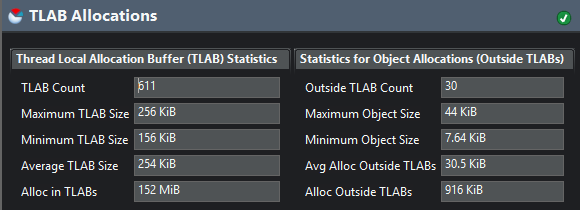
Thread-Local Allocation Buffer
Each thread has a dedicated region where it allocates objects. When objects are allocated directly in a shared space such as eden, some thread synchronization is required to manage the free-space pointers within that space. By setting up each thread with its own dedicated allocation area, the thread needn’t perform any synchronization when allocating objects.
Large objects cannot be allocated within a TLAB, and must be allocated directly from the heap, which requires extra time because of the synchronization.
As a TLAB becomes full, no more allocation can be made in it, and there are 2 options for JVM:
- JVM can retire a full
TLAB, as it is just a section withineden, the retiredTLABwill be cleaned at the next young collection and can be reused subsequently. - JVM can allocate the object directly on the
heapand keep the existingTLAB.
The size of a TLAB is based on 3 factors:
- The
number of threadsin the applications - The size of
eden - The
allocation rateof threads
Applications that benefit from tuning the TLAB parameters:
- Applications that allocate a lot of large objects
- Applications that have a relatively large number of threads compared to the size of
eden
If a significant number of allocations occur outside of TLABs, we have 2 choices:
- Reduce the size of the object being allocated
- Adjust the
TLABsizing parameters
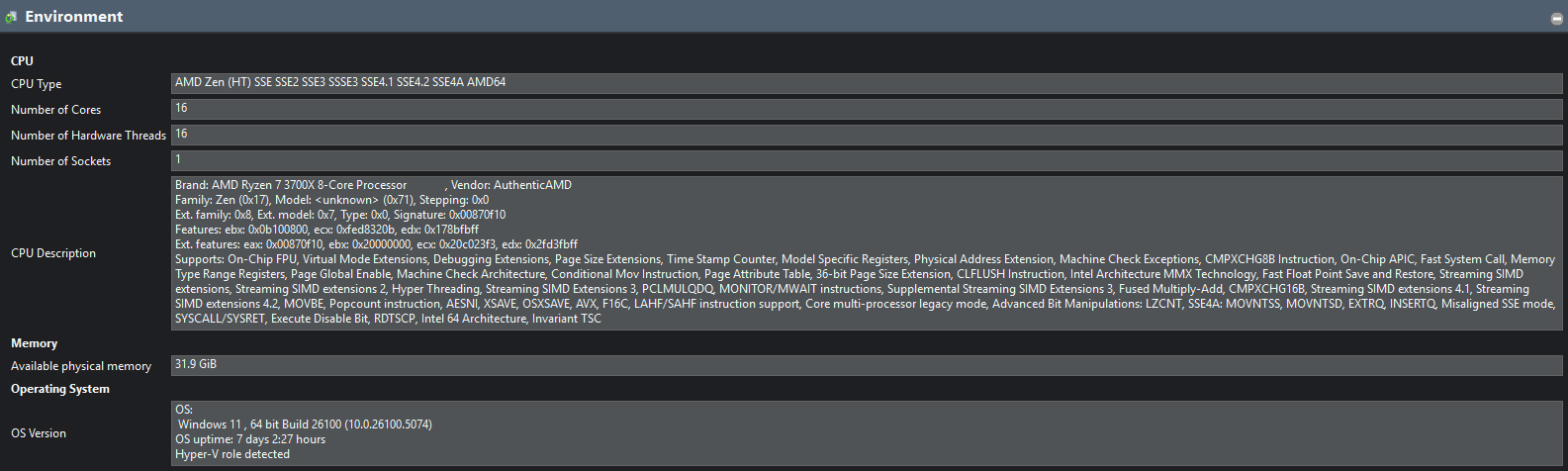
JFR Recording - Environment
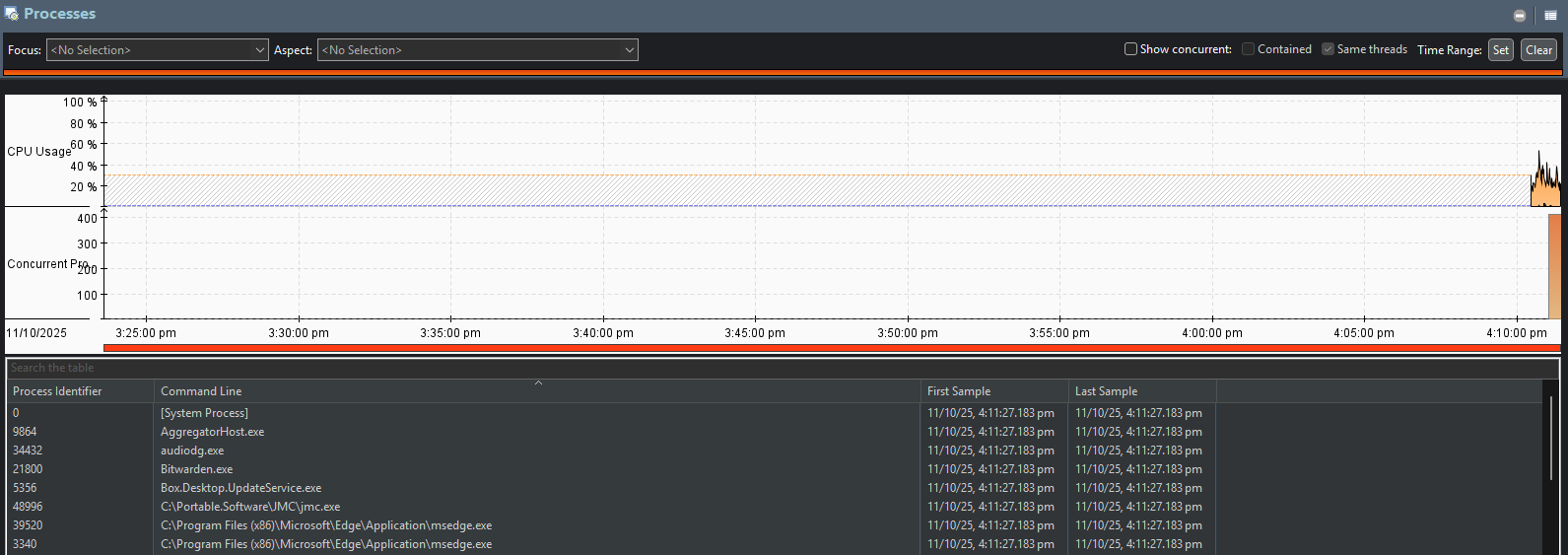
JFR Recording - Processes
JFR Recording - Environment Variables
JFR Recording - System Properties
JFR Recording - Native Libraries
JFR Recording - Recording
JFR Recording - Constant Pools
JFR Recording - Event Browser
JFR
-
Parameters
-
settings=pathSpecifies the path and name of the event settings file (of type JFC).
By default,
2 settingscome with JDK, stored in$JAVA_HOME/lib/jfrDefault: Less than1%overheadProfile: Around2%overhead
-
Refer to
-XX:StartFlightRecordingunder Advanced Runtime Options for Java (opens in a new tab) for details
-
-
jcmdcommandsJFR.check JFR.configure JFR.dump JFR.start JFR.stop -
Custom Event
Must invoke
Event.commit()to record values. -
Streaming
-
Native Memeory
-
Resources
- YouTube - Oracle Learning - Java Mission Control and Flight Recorder Demo Series (opens in a new tab)
- Oracle Help Center - Java SE 17 - Troubleshooting Guide - Troubleshoot Performance Issues Using Flight Recorder (opens in a new tab)
- Oracle Help Center - Java SE 17 - Flight Recorder API Programmer’s Guide (opens in a new tab)
- InfoQ - Continuous Monitoring with JDK Flight Recorder (JFR) (opens in a new tab)
- BellSoft - JDK Flight Recorder, The Programmatic Way (opens in a new tab)
-
References
-
JFR Metadata (opens in a new tab)
Exhaustive list of all JFR events from JDK source code
-
JFR Explorer (opens in a new tab)
User-friendly JFR Events reference
-
Java Flight Recorder Events (opens in a new tab)
Also user-friendly but only for JDK 11 to 18
-
JFR Event
Event - jdk.JVMInformation
jdk.JVMInformation {
  startTime = 22:08:08.107 (2025-10-23)
  jvmName = "OpenJDK 64-Bit Server VM"
  jvmVersion = "OpenJDK 64-Bit Server VM (21.0.8+9-LTS) for windows-amd64 JRE (21.0.8+9-LTS), built on 2025-07-15T00:00:00Z by "admin" with MS VC++ 17.7 (VS2022)"
  jvmArguments = "-javaagent:C:\Users\Takechiyo\AppData\Local\JetBrains\IntelliJIdea2025.2\captureAgent\debugger-agent.jar=file:///C:/Temp/capture12586928883480251180.props -ea -Didea.test.cyclic.buffer.size=4194304 -javaagent:C:\Users\Takechiyo\AppData\Local\Programs\IntelliJ IDEA Ultimate\lib\idea_rt.jar=57548 -Dkotlinx.coroutines.debug.enable.creation.stack.trace=false -Ddebugger.agent.enable.coroutines=true -Dkotlinx.coroutines.debug.enable.flows.stack.trace=true -Dkotlinx.coroutines.debug.enable.mutable.state.flows.stack.trace=true -Dfile.encoding=UTF-8 -Dsun.stdout.encoding=UTF-8 -Dsun.stderr.encoding=UTF-8"
  jvmFlags = N/A
  javaArguments = "com.intellij.rt.junit.JUnitStarter -ideVersion5 -junit5 cq.playground.spring.microservice.rest.profiling.ProfilingEventTest"
  jvmStartTime = 22:08:06.429 (2025-10-23)
  pid = 29440
}