Databricks Certified - Data Engineer Associate (opens in a new tab)
LEARNING PATHWAY 1: ASSOCIATE DATA ENGINEERING
1. Data Ingestion with Lakeflow Connect (opens in a new tab)
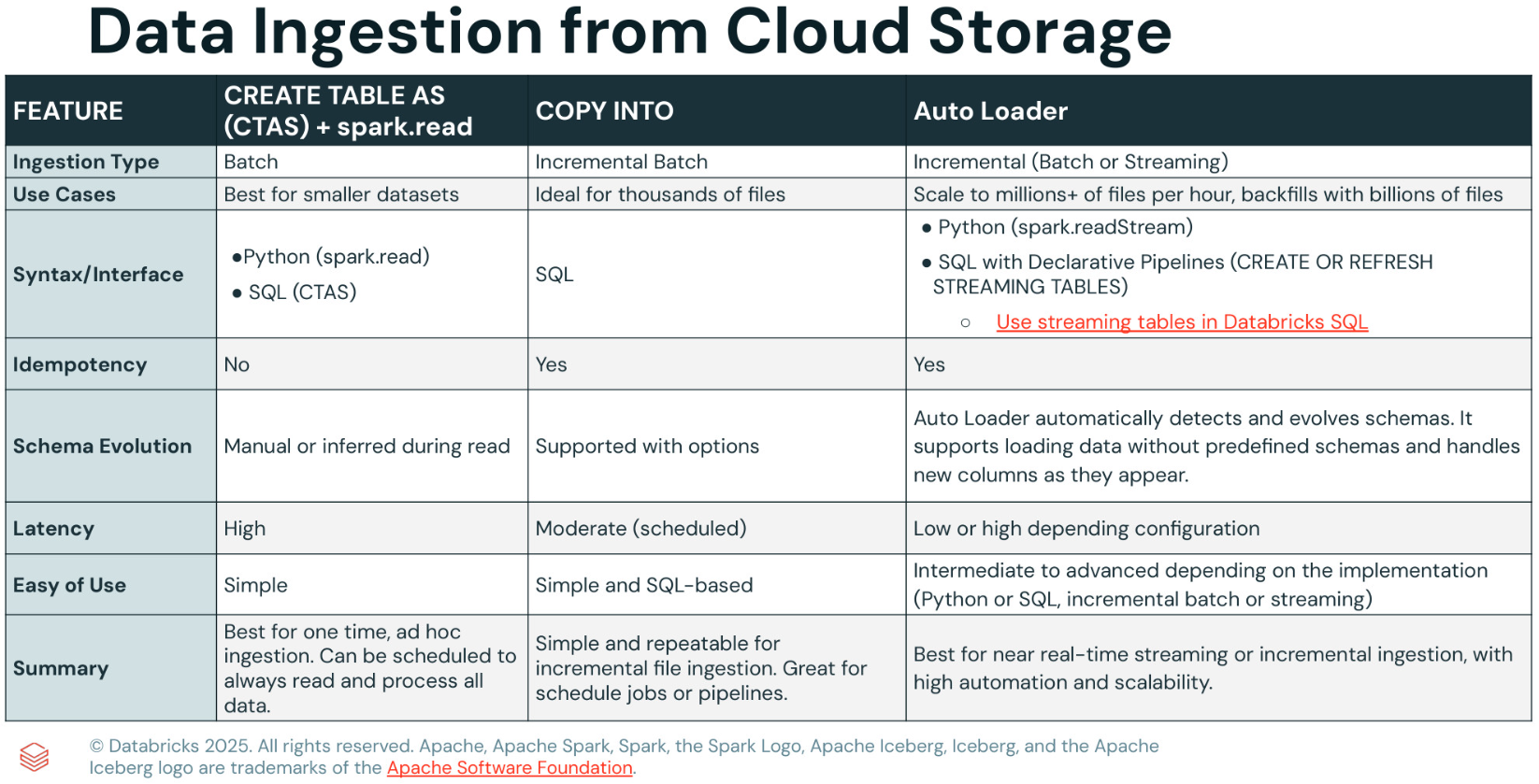
From Cloud Storage
- CREATE TABLE AS (CTAS)
- COPY INTO
- Auto Loader
From Databases
Lakeflow Connect Managed Connectors: Database Ingestion
From Enterprise applications
Lakeflow Connect Managed Connectors: SaaS Ingestion
2. Deploy Workloads with Lakeflow Jobs (opens in a new tab)
3. Build Data Pipelines with Lakeflow Declarative Pipelines (opens in a new tab)
-
Lab
-
Tutorials
-
References
4. Data Management and Governance with Unity Catalog (opens in a new tab)
Exam Guide
-
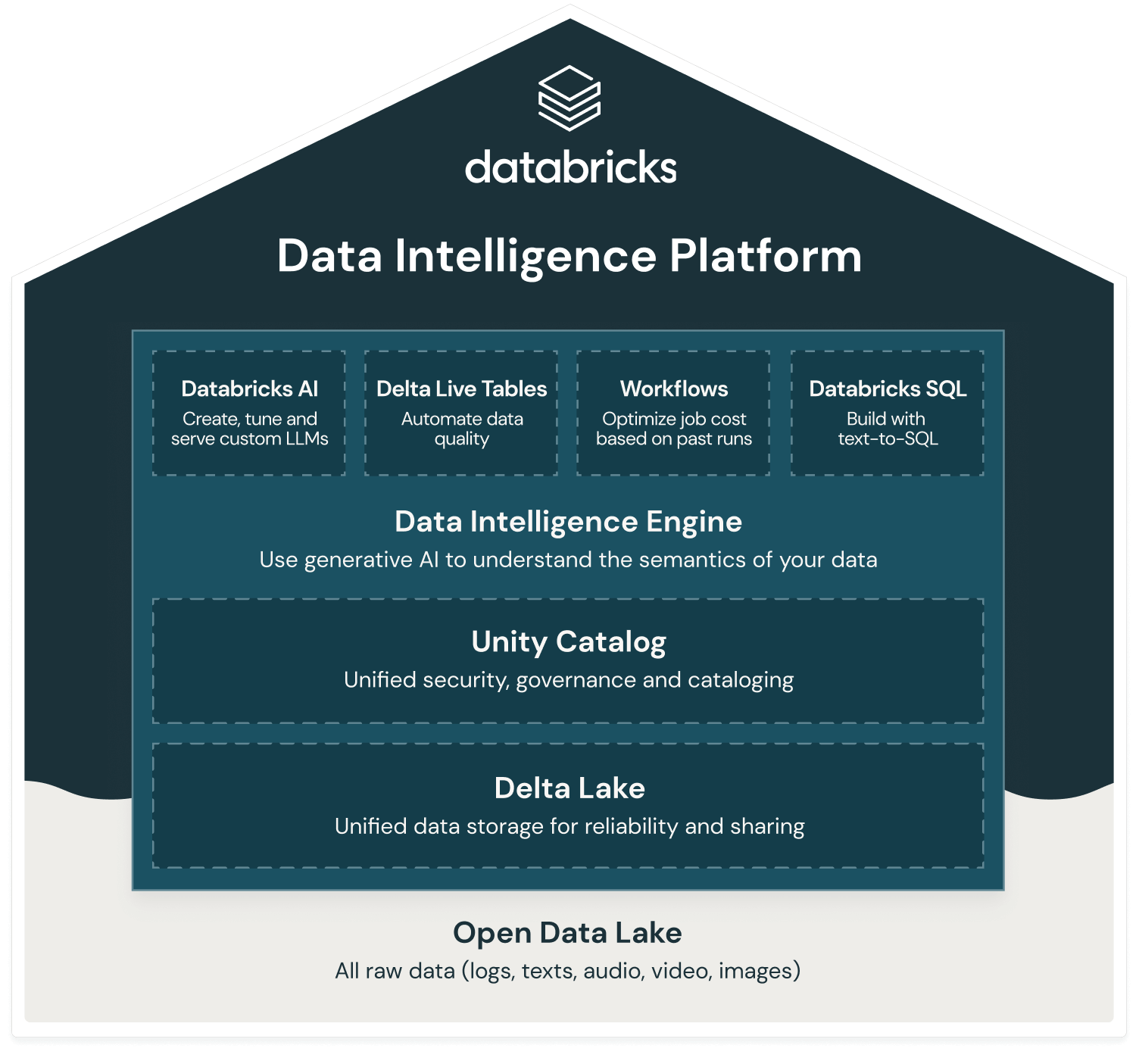
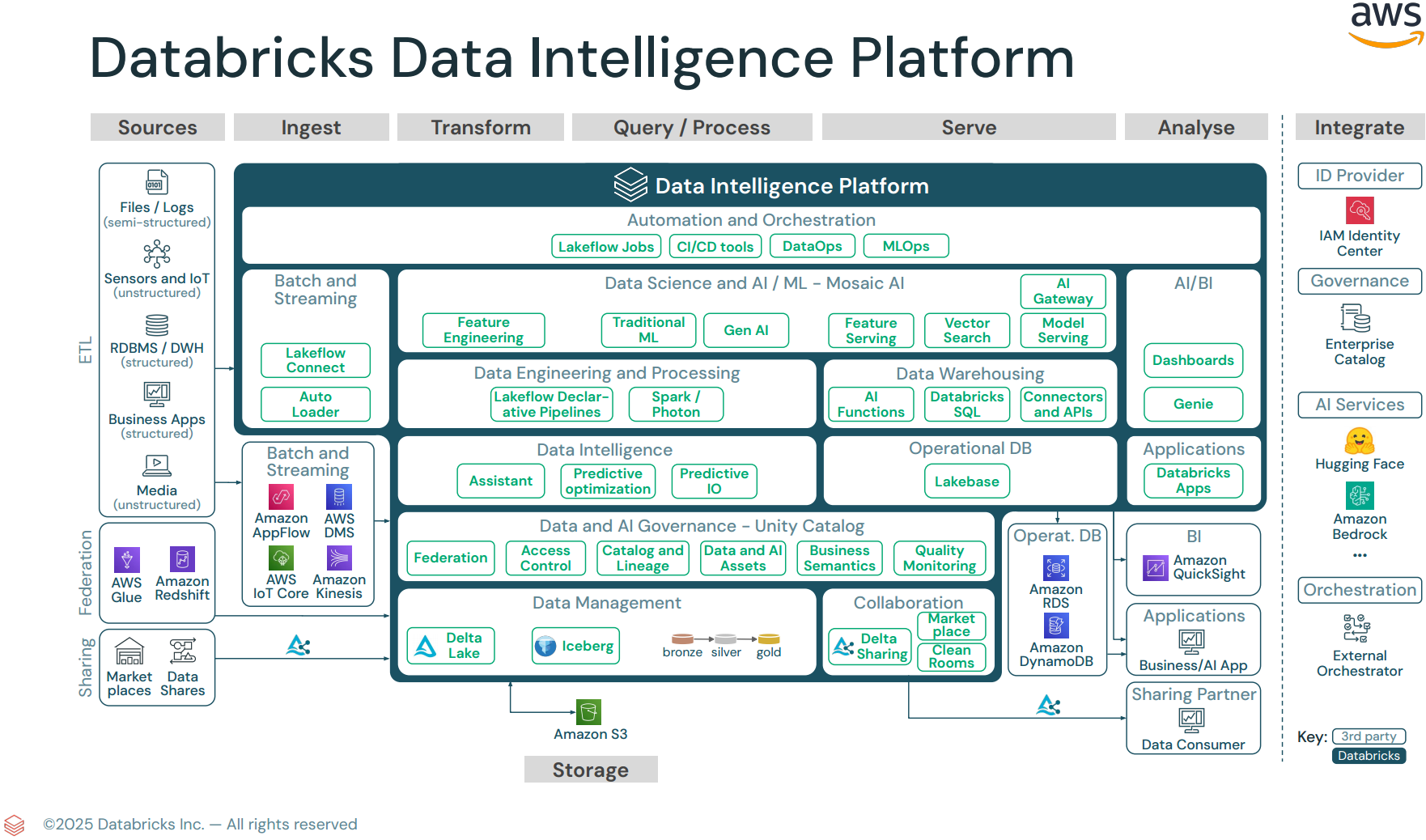
Databricks Intelligence Platform
Section 1: Databricks Intelligence Platform
- Enable features that simplify data layout decisions and optimize query performance.
- Explain the value of the
Data Intelligence Platform. - Identify the applicable compute to use for a specific use case.
Section 2: Development and Ingestion
- Use
Databricks Connectin a data engineering workflow. - Determine the capabilities of Notebooks functionality.
- Classify valid
Auto Loadersources and use cases. - Demonstrate knowledge of
Auto Loadersyntax. - Use Databricks' built-in debugging tools to troubleshoot a given issue.
Section 3: Data Processing & Transformations
- Describe the three layers of the
Medallion Architectureand explain the purpose of each layer in a data processing pipeline. - Classify
the type of cluster and configurationfor optimal performance based on the scenario in which the cluster is used. - Emphasize the advantages of
LDP(forETLprocess inDatabricks). - Implement data pipelines using
LDP. - Identify
DDL/DMLfeatures. - Compute complex aggregations and Metrics with
PySpark Dataframes.
Section 4: Productionizing Data Pipelines
- Identify the difference between
DABand traditional deployment methods. - Identify the structure of
DAB. - Deploy a workflow, repair, and rerun a task in case of failure.
- Use serverless for a hands-off, auto-optimized compute managed by Databricks.
- Analyzing the
Spark UIto optimize the query.
Section 5: Data Governance & Quality
- Explain the difference between
managedandexternaltables. - Identify the
grant of permissions to users and groupswithinUC. - Identify
key rolesinUC. - Identify
how audit logs are stored. - Use
lineage featuresinUC. - Use the
Delta Sharingfeature available withUCto share data. - Identify the advantages and limitations of
Delta sharing. - Identify
types of delta sharing-Databricksvsexternal system. - Analyze the cost considerations of data sharing across clouds.
- Identify Use cases of
Lakehouse Federationwhen connected to external sources.